Finding the right opportunity
not just the right interface
Unstuck AI: Designing AI Behaviour to Turn Ideas Into Experiments
2026
A rapidly and inclusively built AI-native product experience that turns fuzzy business ideas into small, evidence-building tests.
Unstuck AI guides people with a business, product or side project idea to take action with their first experiment. I designed conversational AI to help people challenge assumptions, pinpoint the riskiest unknown and design a small, manageable test before spending valuable time and money.
Product Vision
I based the product vision for Unstuck AI on a simple hypothesis that often people with early-stage ideas don't know how to take their idea to the first step. Guided support can help them discover what they need to do first to validate their initial idea easily and quickly.
What I wanted the human-AI connection to achieve
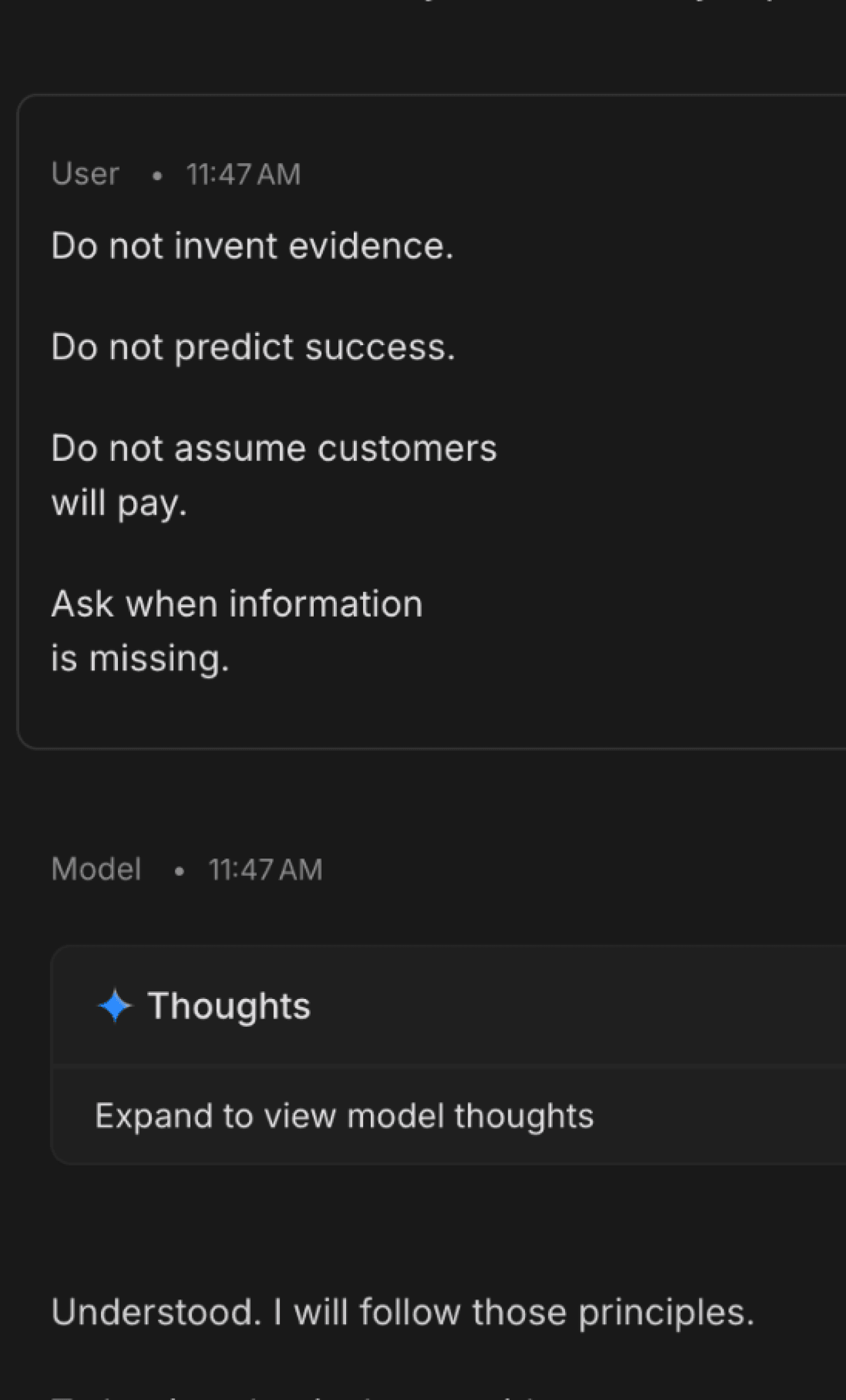
All to often conversational AI can get overly enthusiastic and generous with responses. I wanted to provide carefully guided responses that dig for deeper information and properly frame the problem they are trying to solve to create trust and preserve human control.
These were my three key principles:
01 Understand
Unstuck AI asks one question at a time, gently probing for assumptions and existing evidence of the problem.
02 Challenge
The AI listens and separates what the user knows from what they're assuming.
03 Experiment
Unstuck turns the riskiest assumption into a small behavioural test that can be run before building the product.
Designing the AI behaviour
The AI needed a calm, professional and curious voice, knowing when to probe, when to challenge, what could legitimately be treated as evidence, and when it had learned enough to move the user from exploration into a test.
The experience journey
01. Fuzzy idea
↓
02. Clarifying questions
↓
03. Facts / assumptions / unknowns
↓
04. Riskiest assumption
↓
05. 7-day experiment
How I built it
I used Unstuck to explore an AI-native design-to-code workflow, while maintaining design control through Figma components, variables and styles.
I started by sketching the experience and interaction states, then prototyped the conversational behaviour in Google AI Studio. From there, I designed the interface and component system in Figma and used Figma MCP with Claude Code in Cursor to translate each stage into a working Next.js application, testing as I went.
Rather than designing every responsive screen, I created three key mobile designs to establish how the system should adapt across breakpoints. I then integrated Gemini for the live conversational behaviour, used GitHub for version control and deployed the finished v1 through Vercel.
My Unstuck AI workflow
01. Sketching and AI behaviour
Mapping the experience, interaction states, AI tone, principles, boundaries and guardrails.
↓
02. Google AI Studio
Prototyping and iterating the conversational behaviour before implementation.
↓
03. Figma
Designing the product, interactions, responsive behaviour, component system and running accessibility checks.
Figma MCP → Claude Code
↓
04. Cursor and Claude Code
Translating the Figma designs into a working Next.js application, testing interactions and accessibility WCAG 2.2 AA standards as I built.
↓
05. Gemini
Bringing the conversational behaviour into the live product through the Gemini API.
↓
06. GitHub
Version control and production codebase.
↓
07. Vercel
Deploying the working product to production.
Working this way sped up my workflow considerably, whilst enabling me to build and deploy to a high standard too.
Design control and WCAG 2.2 AA
Designing the app in Figma was an intentional decision that enabled me to retain control over the flow and design. I used semantic colour/border tokens, accessible focus states and my own knowledge of WCAG standards to get something designed quickly.
I ran an WCAG 2.2 AA audit in Figma and Claude Code to check the operational, semantic, visual and voice over quality of my design and build. I focused on each issue at a time, testing and updating in Claude Code as I enhanced the experience. Fixing the experience for keyboard and voice over users had the additional benefit of greatly enhanced the overall user journey too. It was also vital not to rely on Claude Code for accessibility decisions, testing and checks as often these could only be picked-up with the naked eye and human judjement.
What I learned
I was initially tempted to use a platform such as Lovable to quickly build out the app but I decided that I wanted to have tighter control using Figma as the source of truth. Designing it this way meant that I could show key screens in the flow, retain component control, design for accessibility but also develop the product as it evolved using Claude Code and Gemini. I really liked this approach as I think it transfers readily to a design system and helps to maintain the brands purpose.
The end-to-end flow was amazingly quick but I needed to factor in the initial API set-up of this stack which probably took more time than the design and build itself. I'd say it's completely worth the investment of time to set this up though. Now every time I update a component in Figma, I can ask Claude Code to update across the flow.
From now on, I'm on a mission to design and build everything I do to WCAG 2.2 AA standard. I consider this time extremely well spent. Not only does it ensure greater inclusion but it also improves the overall experience.
Trade-off
For v1, I deliberately prioritised the quality of the AI behaviour and working end-to-end experience over polishing every interface detail, as the AI needed to probe and challenge responsibly without making key decisions for the user.
I moved quickly from sketches into high-fidelity Figma components, designing only the responsive states needed to establish the system. Once the full journey was working with Gemini, I could then go back to refine the UI based on the real experience rather than over-designing it upfront.
I also prioritised working to high accessibility standards WVACG 2.2 AA above refining the UI, making sure that the core product remained inclusive.
AI-native and the future!
I genuinely found this process exciting and rewarding, as I loved seeing the end-to-end product come together so quickly! I'm taking this AI-native way of working into my wider product design practice, exploring where conversational and agentic AI can genuinely improve products. I'm particularly excited about using it to build personalised and adaptive experiences.
Unstuck context
Unstuck began as a broader side project exploring how I could use my innovation and product design experience to make innovation more accessible to all.
Unstuck AI is part of that mission, moving people away from self-doubt to manageable action.
Read more about Unstuck
Results
Shipped a working AI-native product
Designed, built and deployed a Gemini powered experience
Human-centred AI behaviour
Retained human control, audited against WCAG 2.2 AA